> ## Documentation Index
> Fetch the complete documentation index at: https://docs.hanko.io/llms.txt
> Use this file to discover all available pages before exploring further.
# Import and export users
> Learn how to import users from other platforms to Hanko, as well as how to export users from Hanko.
# Hanko User import and export guide
**About Hanko**:
Hanko is a modern open source authentication solution and the fastest way you integrate passkeys, 2FA, SSO, and more—with full control over your data. Move between self-hosted and Hanko Cloud anytime. No lock-in. Just Auth how it should be: secure, user friendly, and fully yours.
**What This Guide Covers**: This guide demonstrates how to migrate user data to and from Hanko. You'll learn to import existing users from other authentication platforms and export user data for backup or migration purposes.
**Key Technologies**:
* JSON Data Formats
* UUID Standards
* Hanko Cloud Console
* Hanko Admin API
* Data Schema Validation
* Bulk User Operations
**Prerequisites**:
* Active Hanko Cloud project
* User data in proper JSON format
* Understanding of UUID format requirements
* Access to Hanko Cloud Console
* Admin API access for exports
**Tasks You'll Complete**:
* Prepare user data in required JSON schema
* Validate UUID format for user IDs
* Import users through Hanko Cloud Console
* Verify successful user migration
* Export users using Admin API
* Handle migration errors and edge cases
## Import users
Migrating from another authentication provider? Import your existing users directly through the Hanko Cloud Console.
All user IDs must be in UUID format for successful import.
Navigate to [Hanko Cloud](https://cloud.hanko.io), select your project,
and click 'Users' in the left sidebar.
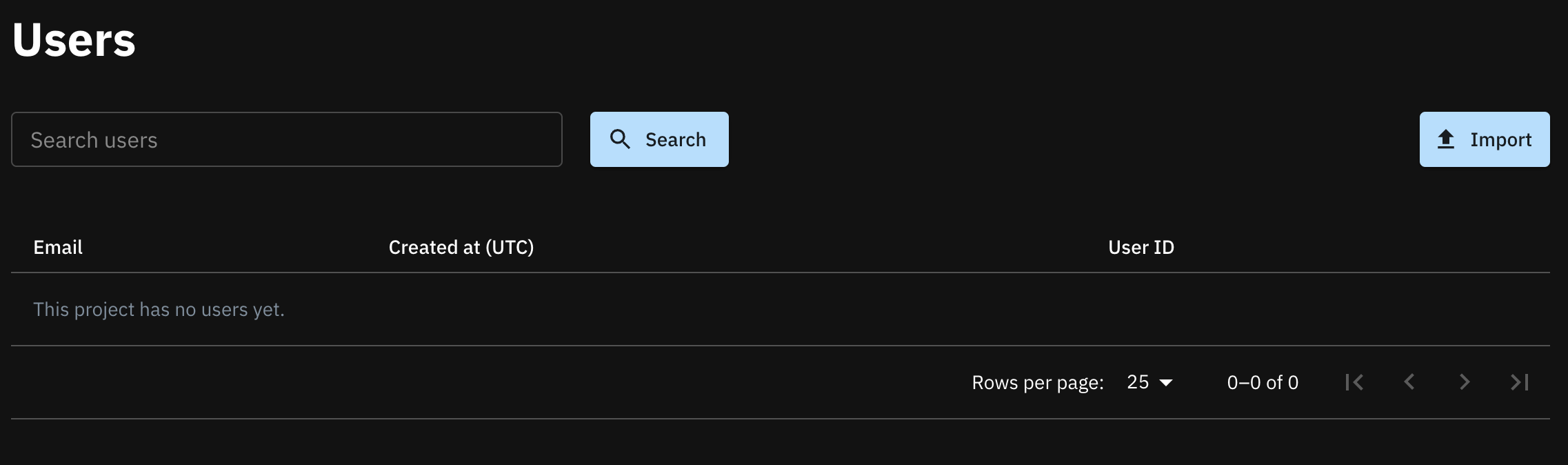
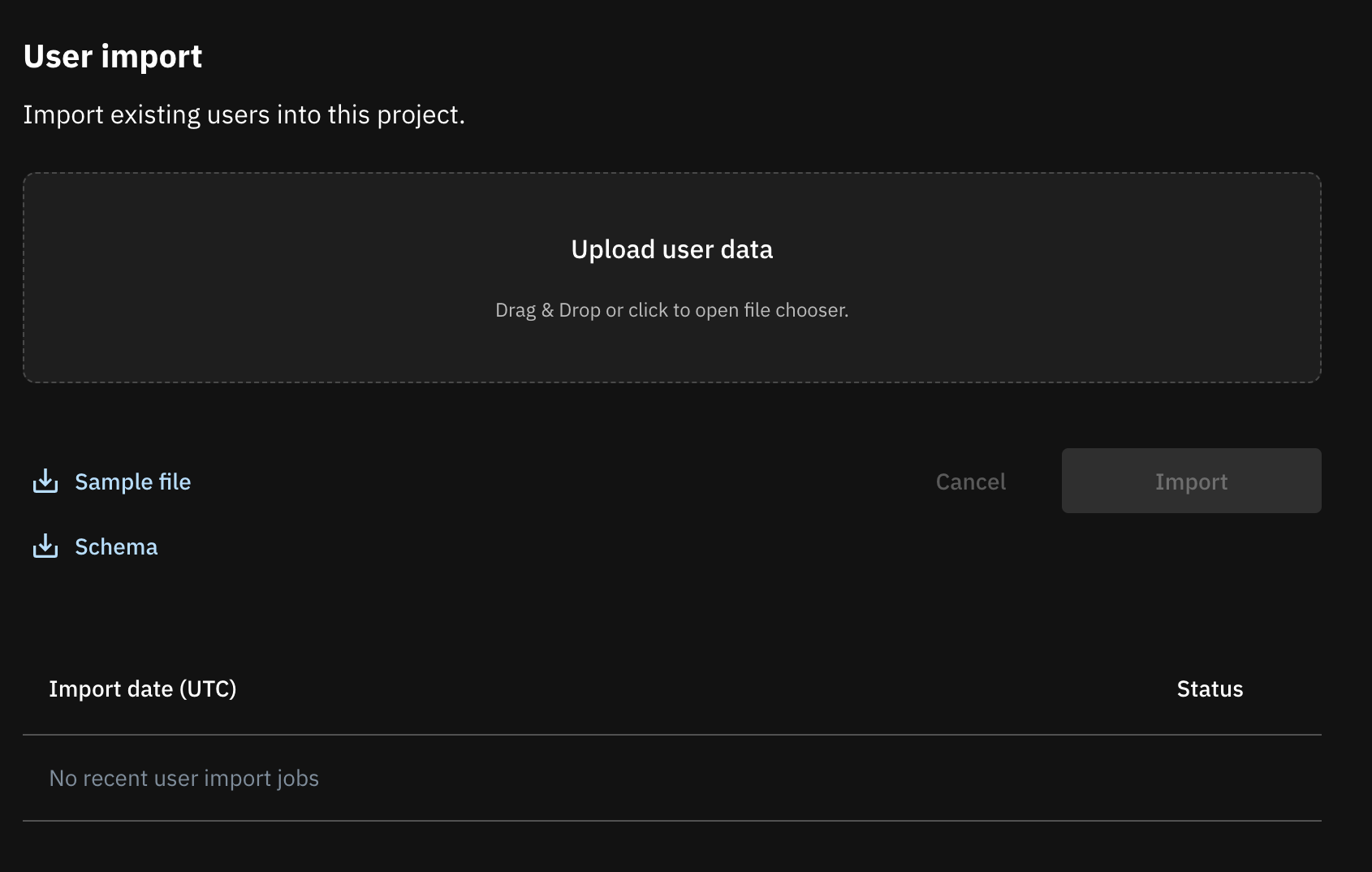 Structure your import file as a JSON array of user objects. Each object represents one user with their details. Reference the official [schema](https://raw.githubusercontent.com/teamhanko/hanko/backend/v0.9.1/backend/json_schema/hanko.user_import.json) for proper data formatting.
```json users.json theme={null}
[
{
"user_id": "d0f8fe0f-9fd0-4974-a927-63aaa54be787",
"emails": [
{
"address": "arvidwalsh@schumm.biz",
"is_primary": true,
"is_verified": true
}
],
"created_at": "2023-07-11T13:41:50.290862Z",
"updated_at": "2023-07-11T13:41:50.290862Z"
},
{
"user_id": "c8d1628d-9258-4686-9063-1334fc7b0a7a",
"emails": [
{
"address": "horaciosteuber@emmerich.io",
"is_primary": true,
"is_verified": true
}
],
"created_at": "2023-07-11T13:41:50.290872Z",
"updated_at": "2023-07-11T13:41:50.290872Z"
}
]
```
## Export users
Export your user data using the [Hanko Admin API](https://docs.hanko.io/api-reference/admin/user-management/get-a-list-of-users) to retrieve comprehensive user information.
A dedicated export feature matching the import functionality will be added to Hanko Cloud in the near future.
The Hanko Admin API is available with paid plans.
Structure your import file as a JSON array of user objects. Each object represents one user with their details. Reference the official [schema](https://raw.githubusercontent.com/teamhanko/hanko/backend/v0.9.1/backend/json_schema/hanko.user_import.json) for proper data formatting.
```json users.json theme={null}
[
{
"user_id": "d0f8fe0f-9fd0-4974-a927-63aaa54be787",
"emails": [
{
"address": "arvidwalsh@schumm.biz",
"is_primary": true,
"is_verified": true
}
],
"created_at": "2023-07-11T13:41:50.290862Z",
"updated_at": "2023-07-11T13:41:50.290862Z"
},
{
"user_id": "c8d1628d-9258-4686-9063-1334fc7b0a7a",
"emails": [
{
"address": "horaciosteuber@emmerich.io",
"is_primary": true,
"is_verified": true
}
],
"created_at": "2023-07-11T13:41:50.290872Z",
"updated_at": "2023-07-11T13:41:50.290872Z"
}
]
```
## Export users
Export your user data using the [Hanko Admin API](https://docs.hanko.io/api-reference/admin/user-management/get-a-list-of-users) to retrieve comprehensive user information.
A dedicated export feature matching the import functionality will be added to Hanko Cloud in the near future.
The Hanko Admin API is available with paid plans.